
FairPlay › FairPlay App Download APK
FairPlay App Download APK — Official Android File, Inplay to Crash Games in One Install
Android gets a real file, iPhone gets a shortcut, and that is the whole split. A FairPlay app download apk begins inside the FairPlay site menu rather than in Google Play, whose Indian store does not carry real-money betting apps at all. Six taps, one permission toggle, done. Scroll on for the iPhone route, which needs nothing downloaded at all.
This page is strictly about getting the file onto the phone: where the FairPlay download link sits, what Chrome puts on screen, what Android asks before it installs, and how a newer build goes over an older one. What the app looks like once it opens — tabs, wallet screen, notification toggles — belongs to the FairPlay app login and tab-by-tab tour, so I am not repeating it here.
Before you tap anything, a short run-through:
- Battery above roughly 20%, and a connection that is not dropping mid-over.
- Around 150 MB of free storage, so the installer has room to unpack.
- Open FairPlay in Chrome itself — a link tapped inside Telegram or Instagram runs in a mini-browser with nowhere to put the file.
- Your registered mobile number handy — first sign-in after install asks for it.
- No third-party APK site, ever. Same-name files float around and they are not the FairPlay build.
Where the FairPlay App Download APK Link Sits on the Official Site
The download row is not on the homepage banner, which is why people search for it. Open FairPlay in your phone browser and tap the menu button at the top left of the screen. That slide-out list carries the account items — login, register, promotions — and near the bottom of it sits the Android download row, with an iOS row beside it. That is the whole treasure hunt. Once you have seen it once you will never look for it again, though the menu order does shift slightly when FairPlay runs a promotion strip at the top.
- Open the FairPlay site in Chrome on the phone you actually bet from, not on a second handset.
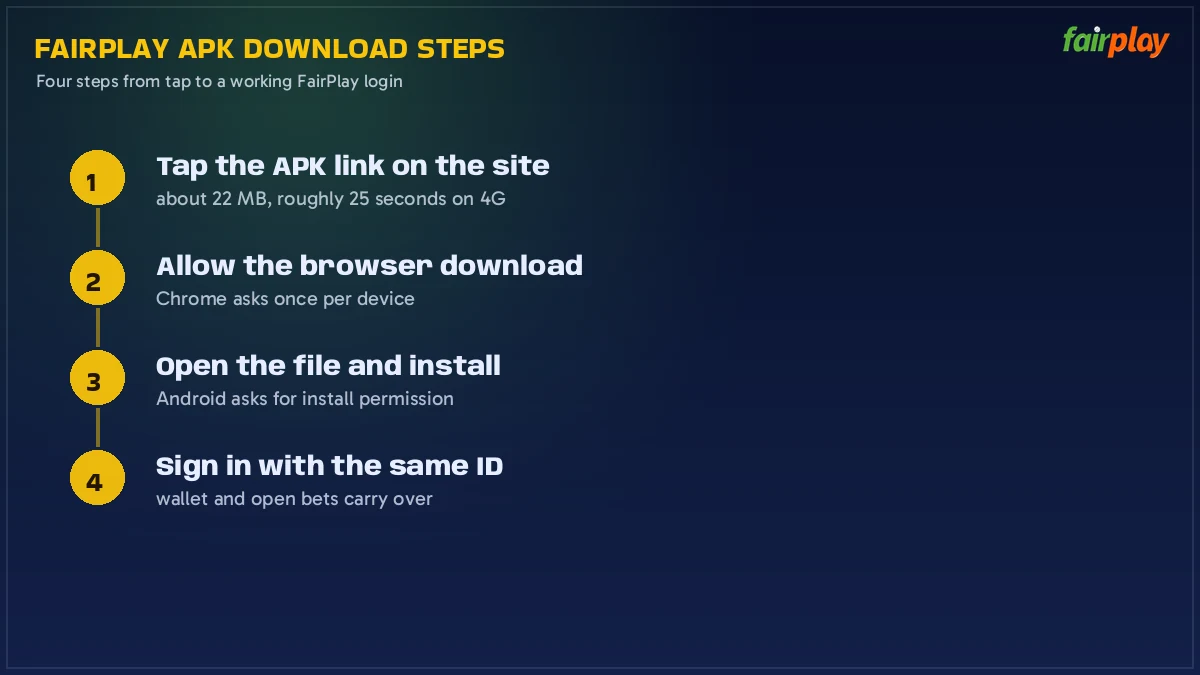
- Tap the menu button at the top left. Scroll the list until the Android download row appears.
- Tap the Android row. Chrome begins the file and drops a download row along the bottom edge.
- Let the row finish. It counts the file size as it goes, so you can see how big the the FairPlay APK is on your connection.
- Tap Open on the finished row. Missed it? Chrome menu, then Downloads, and the file is the newest entry.
- Android hands the file to its installer. Read the screen, tap Install, then tap Open when the button changes.
Two minutes is the honest figure on a decent 4G line. On a weak stadium signal it can stretch — one reader in Nagpur told the FairPlay desk his download sat at half for four minutes during an IPL evening, finished the moment he moved to Wi-Fi, and installed first go.
What Chrome Asks During a Fast, Secure FairPlay APK Download
Keep, and then maybe keep again. Chrome asks first whether you really want an .apk it did not pull from a store; take the keep option and the FairPlay file drops straight into Downloads. Certain Chrome versions add a second line, the one about this file type being able to harm your device — blanket wording that Chrome prints over any APK, including builds handed out by the biggest names in the store, and it says nothing at all about what FairPlay served you from its own menu.
If Chrome has already handled APK files on that phone, it may ask nothing and simply finish the download. Either behaviour is normal. What you should not see is a redirect to some other site mid-download — if the address in the bar changes to a domain that is not FairPlay, cancel, clear the file, and start again from the FairPlay menu.
The Android Install Prompt for a Verified FairPlay Download
Android asks one permission question and then one scan question. Permission first, and it is per-browser: Android wants to know whether Chrome may install apps on this phone. The scan is Play Protect, which checks the package before it goes in. Neither is a FairPlay-specific hurdle — every sideloaded file in India meets both screens — but the order surprises people, so here is what lands on the display during a FairPlay APK install:
- Allow from this source. A settings page opens with a single toggle for Chrome. Switch it on, tap back, and the FairPlay install continues from where it paused.
- Play Protect scan. A dialog says it is checking the app, or offers to send it for review. Let it finish, then take the install option.
- Not enough space. With a full phone the installer stops before it starts, so the FairPlay build never gets half-written. Free a little room and tap Install again.
- Notifications, on first open. The FairPlay app asks once. Say yes if you want price and settlement alerts, no if you do not; the app works either way.
When the install finishes, go back to that toggle and switch Allow from this source off again. The FairPlay app keeps working perfectly; you are only closing the door behind you so nothing else installs itself later.
FairPlay APK Version and File Size — the Real Rows to Check
Do not trust a size or a version number that you read on some forum. Both move with each build, and both are printed where they should be: on the FairPlay download row and on the installer screen. Check them there, in that order, and a repacked file gives itself away immediately.
| Row | What it tells you | Where to read it |
|---|---|---|
| File size | How much data the FairPlay download will use, and whether it completed | Chrome download row, counting up as it saves |
| Version / build | Whether your installed copy is the current one | Beside the Android download link in the FairPlay menu |
| Package name | That the file is the FairPlay build and not a lookalike | Android installer screen, before you tap Install |
| Source address | The only place that should serve the APK | The browser address bar while you download |
A file that arrives far smaller than the row promised is a partial download, not a lighter version. Delete it adn start again — half a package will always fail at the install step, and the error Android throws for it is unhelpfully vague.
Installing a New FairPlay APK Download Over an Older Build — Quick Update Route
Same journey, different button. You take the FairPlay download from the menu exactly as before, open the file, and the installer reads Update rather than Install because it recognises the existing package. Tap Update, wait, tap Open. Nothing needs uninstalling first, and nothing needs backing up.
Your data is safe because it is not on the phone. Your FairPlay ID, the wallet balance, deposit history, open bets, bonus progress — all of it lives on the FairPlay servers and comes back the second you sign in with your mobile number or User ID. That is also why a lost or replaced handset is not a crisis: download the FairPlay APK again on the new phone, sign in, and its all there.
If Android answers with App not installed, the usual cause is a partial file or a build that was never the official one. Remove the old app from the launcher, delete the downloaded file, and run the FairPlay download once more from the site menu.
FairPlay Live App Download on iPhone — the Free Home-Screen Route
Twenty seconds and an icon, that is the iPhone version of a FairPlay live app download. Open FairPlay in Safari, tap Share on the bottom bar, scroll the sheet to Add to Home Screen, shorten the name if it looks long, tap Add. No file changes hands because iOS never accepts one from outside the App Store, so there is nothing to allow and nothing to switch off afterwards.
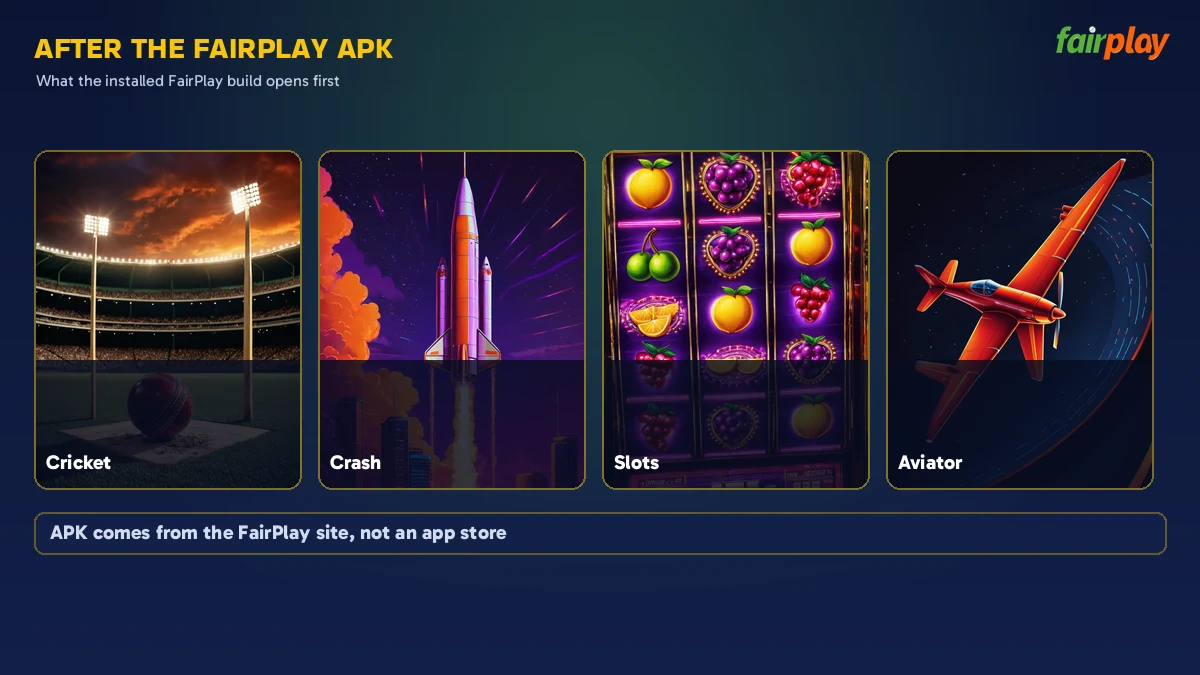
The icon that lands on your home screen opens FairPlay without the Safari toolbars, full width, and it remembers your session the way the app does. Same login, same single wallet, same tabs — Inplay, Sportbook, Live Casino, Crash Games, Matka, Slot Games. Honestly, for most punters the difference between this shortcut and the Android build is barely noticeable; the APK mainly wins on push alerts.
One note for shared iPads: the shortcut keeps you signed in, so add it on your own device only. And after any route — APK or home screen — your first FairPlay sign-in uses the +91 mobile number or your User ID with a password or OTP, with the Demo Login button sitting right there if you want to poke around on practice balance first. Deposits start at ₹500 through UPI, Paytm, PhonePe, Google Pay, net banking or crypto, and withdrawal requests of ₹500 and up land in the 20 to 60 minute window.
FairPlay App Download APK — Every Download Term This Official Page Covers
People reach this page through a dozen different phrasings of the same job, and a fairplay app download apk search sits at the centre of them. Open either group below to see which download term maps to which route, because the file, the address and the account behind them are identical.
Android file terms
FairPlay Download, FairPlay Apk Download and FairPlay Download Apk
One row serves the lot. Whether you searched fairplay download, fairplay apk download, fairplay download apk, fairplay apk, fairplay app download or fairplay app apk, the Android link in the FairPlay menu is what every one of those queries is after. No lite build exists, and no store listing either.
- Tap the menu button, take the Android row, keep the file when Chrome asks.
- Open the download row, allow installs from the browser, tap Install.
- Sign in with the +91 mobile number or User ID, or use Demo Login first.
Number and live variants
FairPlay 24 App Download Apk and FairPlay Live App Download
A fairplay 24 app download apk search and a fairplay live app download search point at addresses rather than at different software. Betting domains get blocked in India, so FairPlay opens on a fresh address when one stops loading — same ID, same balance, same APK. On iOS, fairplay live app download means the Safari home-screen shortcut, which is free and needs no file at all.
| You typed | What you actually get |
|---|---|
| fairplay download / fairplay apk | The official Android file from the FairPlay site menu |
| fairplay 24 app download apk | The same APK, reached through a current FairPlay address |
| fairplay live app download | APK on Android, Add to Home Screen on iPhone |
FairPlay App Download APK Questions Real Users Ask First
How do I finish a FairPlay app download apk on Android?
Menu button at the top left of the FairPlay site, then the Android row — that is where the file starts. Chrome saves it and lays a download row along the bottom edge. Open that row, switch on installs from Chrome when Android asks, tap Install, and sign in with your +91 number.
Is the FairPlay apk download free?
Free, all three parts of it: the file, the install and the FairPlay ID behind them. Money enters only at the wallet stage, and there the floor is 500 rupees by UPI, Paytm, PhonePe, Google Pay, net banking or crypto. Demo Login costs nothing either.
Why is my FairPlay apk download not installing?
Usually the file is incomplete or the browser still lacks install permission. Delete the half-finished file, run the FairPlay download again on a stable connection, and switch on Allow from this source for Chrome when Android asks. A near-full storage partition stops the installer too.
Where is the FairPlay live app download for iPhone?
There is no APK for iPhone, because iOS does not install files from outside the App Store. Open the FairPlay site in Safari, tap Share, then Add to Home Screen. The saved icon opens FairPlay full screen and signs you in with the same mobile number and password.
Does a fresh FairPlay app download apk erase my account?
No. Your FairPlay ID, wallet balance and bet history sit on the FairPlay servers, not inside the file on your phone. Installing a newer APK over the old build only replaces the app itself, and one sign-in with your mobile number or User ID brings everything back.
Download Searches People Run Alongside FairPlay APK
- fairplay download
- fairplay app download
- fairplay apk
- fairplay apk download for android
- fairplay 24 app download apk
- fairplay live app download
- fairplay app download kaise kare
- fairplay download apk latest